
Self Hosted AI for Dental Practices: In the Practice, Run by Us
The practice manager is already the unofficial IT department. Self-hosting AI must not make that worse. The machine sits in the practice; the running — updates, backups, the phone call when it stops — is ours.
£500 per month for the software and the hardware rental. You rent the machine — you don’t buy it.
Self hosted AI for dental practices means AI running on a machine rented to the practice, in the practice office, rather than a provider’s cloud. It reads the practice’s letters, referrals, policies and complaints, stays out of the clinical system, and is installed, backed up, updated and supported by us while the data stays the practice’s.
Keep the control, lose the admin
A short call with the practice manager or principal. If your paperwork does not justify a machine, we will say so.
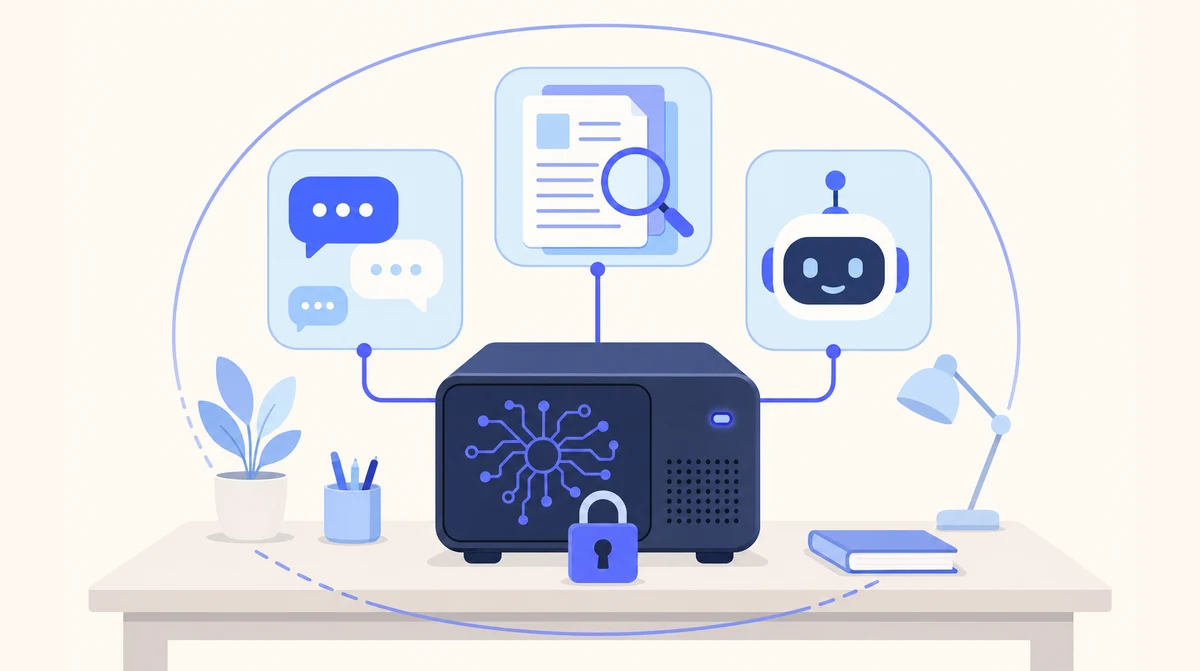
One rented machine in the practice office. Letters, policies and chat history live on it; we keep it running.
Cloud Agents for the Front Desk, Local AI for the Records
The phone and the enquiry inbox are not where a practice’s confidentiality problem lives, so most practices run those on our hosted agents and keep patient documents on the Local AI machine.
- ☁ Cloud-based AI Receptionist
- ☁ Cloud-based Email Manager
- ☁ Cloud-based Leads Outreach
- 🏢 On-premise Local AI
What Self Hosting AI Actually Involves
Self-hosting is attractive for one reason — control — and off-putting for one reason — upkeep. Here is the upkeep for dental practices, itemised.
| The job | Self-host it yourself | Self-hosted with us |
|---|---|---|
| Choose the hardware | You research and buy it; hope it runs the model | Specified for your team, rented to you, not sold |
| Install the model and the tools | Your IT person, evenings and weekends | Done by us, in the practice |
| Connect access control | Build it, or share a login | Your Microsoft 365 or Google Workspace sign-in |
| Backups and a replacement plan | If you remember | Agreed before go-live, run by us |
| Updates and model upgrades | You, testing each one | Us, with you, as part of support |
| Who controls the machine and owns the data | You | You |
Why a Practice Wants It On Site, and Why It Should Not Run It
A dental practice has good reasons to want AI in its own building rather than someone else’s cloud. The GDC expects the team to protect patient information, and a machine in the practice office is the plainest way to show where it is. The CQC will ask about systems, and “ours, on that shelf, on our network” is a satisfying answer. And practices are wary, with reason, of cloud subscriptions that quietly change terms, move data or disappear; a fixed £500 a month for the software and a rented machine on the shelf does neither.
What a practice should not do is run it. Self-hosting AI is a standing job — hardware that fits the model, the runtime and tools installed, sign-in wired up, documents imported, backups arranged, updates applied, model upgrades tested, and someone to ring at 8.30am when the letters will not draft. In a practice that job lands on the practice manager, who already runs the diary, the compliance calendar and the front desk.
Our arrangement gives the practice the control and takes the job. The machine is rented, not sold, and it lives in the practice. Letters, policies, correspondence and chat history live on it; the only outside connection is the Microsoft 365 or Google Workspace sign-in staff already use. The practice decides who has access, what is retained and when a model upgrade happens. We specify, install in the practice office, back up, update and support, under a data processing agreement covering exactly the access the practice grants.
What the machine never does is anything clinical. It is not connected to the practice management system, it does not read the clinical record, and it is not for radiographs or diagnosis. Self hosting AI for a practice, done properly, is an administrative machine in the practice that someone else keeps running.
What Runs on the Machine in Your Building
Control stays with you, and the machine is rented, not sold. The list of what ships is the same for every client, because the product is the same.
Private chat
A ChatGPT-style assistant for the team, on your own machine. Questions, uploads, drafts — none of it going to an outside service.
Document spaces
Files and correspondence organised into spaces. Search, summarise and compare across hundreds of documents, with citations to the page each answer came from.
Custom assistants
The recurring report, the standard memo, the routine check — built around your workflows and running on the same machine.
| Document | What the practice asks for | What stays where |
|---|---|---|
| Referral letters and replies | Draft the referral; summarise what came back | On the machine, in the practice |
| Treatment plan and recall letters | Draft in the practice’s wording from the plan | On the machine, in the practice |
| Complaints | Draft a response from the file and your complaints policy | On the machine, in the practice |
| Policies, SOPs, audits, training records | Find it, check the review date, cite the page | On the machine, in the practice |
| Supplier and lab contracts | Compare terms, flag the differences | On the machine, in the practice |
| Clinical records and radiographs | Not used — stays in the practice system | Your practice management software |
From Practice Manager’s Call to a Machine in the Practice
Weeks, not months. Most practices start with the policies folder or the referral correspondence and widen from there.
A call with the practice manager
NHS, private or mixed, how many staff, which paperwork goes first. We specify the machine from that.
Install and import
The machine goes on the practice network. Sign-in connects to your Microsoft 365 or Google Workspace. Policies, SOPs and correspondence are imported into spaces.
Train the team, then support
We train the practice manager and reception first, then keep the software and models current, with support from the people who installed it.
Where Local AI Is the Wrong Answer
We would rather lose the enquiry than the trust. Three things we tell every prospect before they sign anything.
It is not the answer if you have the person
If dental practices already employ someone who runs servers and would enjoy running this one, self-hosting it yourself is a reasonable choice. Our arrangement is for the ones that do not.
It is slower than the big cloud models
Open-weight models on a single machine are capable for summarising, drafting and answering questions about your own documents. For frontier reasoning on hard, novel problems, the largest cloud models are still ahead. That is the trade.
It is a weeks-long install, not a sign-up
A cloud agent is live in days. Local AI needs the machine specified, delivered, installed on your network and your documents imported. Weeks, not months — but not tomorrow.
We Self-Host Our Own
Control is real
The machine is rented to you, but it runs on your network, in the practice, under your access rules. Nothing about the arrangement makes you dependent on our servers.
Upgrades on your schedule
A new model changes the answers your team relies on, so model upgrades happen with you, not to you.
Backups agreed up front
Schedule and replacement arrangement settled before go-live, as part of support, not as an afterthought.
One DPA, narrowly drawn
We are a processor only for the support access you grant, under UK GDPR and the Data Protection Act 2018, with the ICO as regulator.
Which Page Answers Your Practice’s Question
| If your question is… | The short answer | Read more |
|---|---|---|
| The general case for self-hosting | The job list, and who does each item | Self-hosted AI |
| We want the Local AI overview for dentists | The head page for dental practices | Local AI for dental practices |
| What exactly is installed in the practice? | One machine in the office, supported | On-Premises AI for dental practices |
| Our data protection lead needs the data flow | No processor, no transfer, for the AI step | GDPR Compliant AI for dental practices |
| We also need the phone answered | A hosted agent, live in days | AI Receptionist |
| We are a GP practice, not dental | In the surgery; we run it | Self-Hosted AI for gp practices |
| Why on-premises at all? | The case for Local AI, in full | Local AI product page |
Self-Hosting AI for Dentists: Common Questions
What is self hosted AI?
AI models running on hardware you control, in the practice, rather than on a provider’s servers. Your prompts, documents and chat history stay on that machine. With ours the machine is rented to you and we handle the install, updates and support.
What does self hosting AI involve if we do it ourselves?
Choosing and buying hardware, installing the model runtime and the tools around it, connecting access control, importing documents, arranging backups, applying updates, testing model upgrades, and being the person everyone rings when it stops. A standing IT job, not a weekend project.
Does self-hosting mean the practice manager has to maintain it?
No, and that is the point. The machine sits in the practice; we install it, back it up, apply updates, make model upgrades with you and answer the phone when something stops. Nothing is added to the practice manager’s job.
What happens to the machine if we change practice management software?
Nothing. It was never connected to your practice system, so a change there does not touch it. It keeps reading the letters, policies and correspondence you import, whatever runs the clinical side.
Does it connect to our practice management software?
No, and that is deliberate. The clinical record stays in your practice system. It works on the documents around it — letters, policies, correspondence, contracts — which are imported into document spaces on the machine.
Can it read clinical photographs or radiographs?
The private chat accepts images, but we advise against using it for anything clinical. It is for the practice’s administrative documents. Diagnosis and treatment decisions stay with the clinician.
How much does Local AI cost?
£500 per month for the software and the hardware rental. The dedicated machine is rented to your business, not sold: you never buy the hardware. It is installed in your building and runs the private chat, document spaces and assistants. Local AI is for business customers only.
Keep the Machine, Not the Job
Tell us who looks after the practice’s IT today and which paperwork takes longest. One short call to size the machine; the running is ours.
Prefer email? sghaith@businessaiagents.co.uk