
Self Hosted AI for Solicitors: A Legal AI Platform the Firm Controls
A self-hosted legal AI platform sounds like a project for a firm with a technology team. For most firms it is one machine in the office, rented rather than bought, running the model on its own files, with the maintenance handled by someone else.
£500 per month for the software and the hardware rental. You rent the machine — you don’t buy it.
Self hosted AI for solicitors means AI running on a machine in the firm’s office rather than a provider’s cloud: a self-hosted legal AI platform for matter files, correspondence and precedents. The machine is rented; the data and the access list are the firm’s. We install, back up, update and support it. It never gives legal advice.
Keep the control, lose the admin
A short call with a partner or the COLP. We will say which jobs the firm should keep and which we should take.
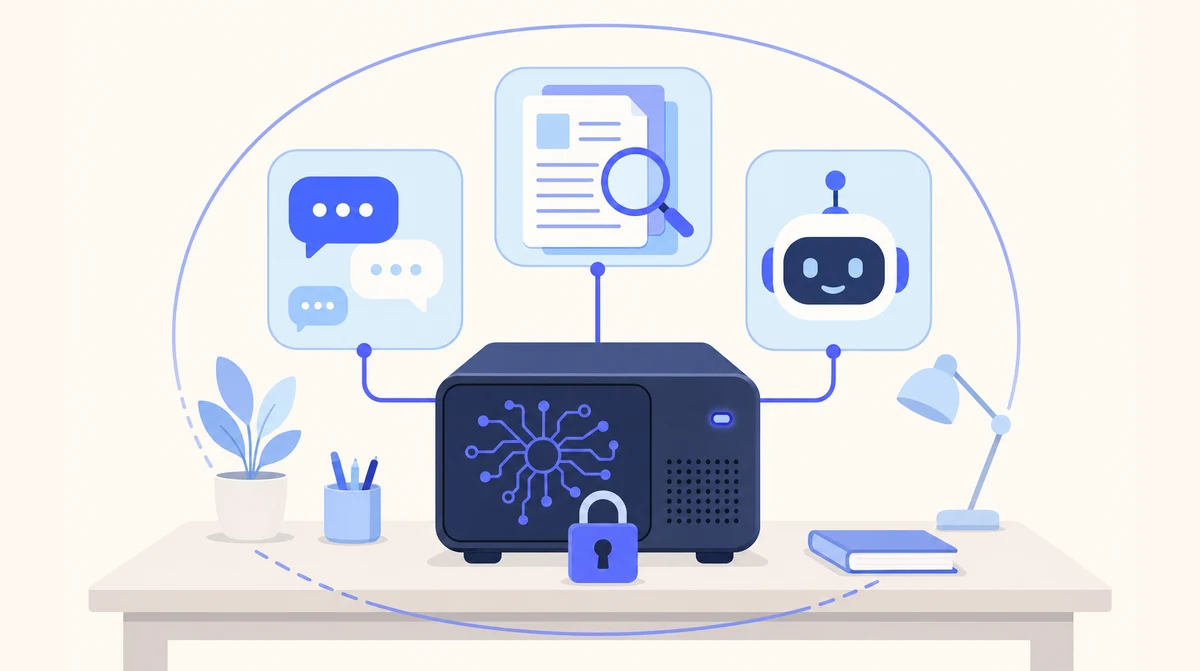
One rented machine in the firm’s office. Matter files, precedents and chat history live on it; we keep it running.
Cloud Agents for Intake, Local AI for the Matter Files
New-client calls and the general enquiries inbox carry little that is privileged, so firms run those on our hosted agents and keep client files on a Local AI machine in the office.
- ☁ Cloud-based AI Receptionist
- ☁ Cloud-based Email Manager
- ☁ Cloud-based Leads Outreach
- 🏢 On-premise Local AI
What Self Hosting AI Actually Involves
Self-hosting is attractive for one reason — control — and off-putting for one reason — upkeep. Here is the upkeep for law firms, itemised.
| The job | Self-host it yourself | Self-hosted with us |
|---|---|---|
| Choose the hardware | You research and buy it; hope it runs the model | Specified for your team, rented to you, not sold |
| Install the model and the tools | Your IT person, evenings and weekends | Done by us, in the firm |
| Connect access control | Build it, or share a login | Your Microsoft 365 or Google Workspace sign-in |
| Backups and a replacement plan | If you remember | Agreed before go-live, run by us |
| Updates and model upgrades | You, testing each one | Us, with you, as part of support |
| Who controls the machine and owns the data | You | You |
A Self-Hosted Legal AI Platform Without the Technology Team
Law firms have the clearest case for keeping their AI in-house. Client confidentiality under the SRA Code, legal professional privilege, engagement letters that forbid third-party processing, and an insurer asking about AI use at renewal — all of them are answered most plainly by a machine on the firm’s own network, in its own office, running the model locally. Privileged material is not disclosed to anyone because it is not sent anywhere. The insurer’s question gets one sentence.
What has stopped most firms is the phrase “self-hosted legal AI platform”, which sounds like a project for a firm with a technology team and a hardware budget. In practice it is a list of jobs: specify hardware that runs the model well, install the runtime and the document tools, wire access control to the firm’s existing sign-in, import the files by matter, arrange backups, apply updates, test model upgrades so a litigation team does not discover mid-trial that the drafts read differently, and be the person the office rings when it stops.
Our arrangement gives the firm the control and takes the list. The machine is rented to the firm for £500 a month with the software; nobody buys a server. Matter files, correspondence, precedents and chat history live on it; which fee earners see which matters follows the Microsoft 365 or Google Workspace sign-in the firm already administers. The firm decides what is retained and when a model upgrade happens. We specify, install in the office, back up, update and support, under a data processing agreement drawn narrowly enough for the COLP to read in one sitting.
The case management system is not connected and remains the system of record. Every output is a draft for a qualified person, never advice, and the training says so. Self hosting AI for a firm, done properly, is a confidentiality measure the firm controls, with a drafting assistant attached, and nobody at the firm running a server.
What Runs on the Machine in Your Building
Control stays with you, and the machine is rented, not sold. The list of what ships is the same for every client, because the product is the same.
Private chat
A ChatGPT-style assistant for the team, on your own machine. Questions, uploads, drafts — none of it going to an outside service.
Document spaces
Files and correspondence organised into spaces. Search, summarise and compare across hundreds of documents, with citations to the page each answer came from.
Custom assistants
The recurring report, the standard memo, the routine check — built around your workflows and running on the same machine.
| Document | What the fee earner asks for | What stays where |
|---|---|---|
| Correspondence on a matter | A chronology, every entry cited | On the machine, in the office |
| Bundles and disclosure | A summary; the passages on a point | On the machine, in the office |
| Leases, contracts, agreements | What clause 14 says; the differences between two versions | On the machine, in the office |
| Precedents and house style | A first draft, for a supervisor to review | On the machine, in the office |
| Counsel’s advice and privileged notes | Searchable within the matter, by permitted staff | On the machine, in the office |
| Case management system | Not connected — remains the system of record | Your existing system |
From a Partner’s Call to a Platform the Firm Controls
Weeks, not months. Most firms start with one practice area and widen once it is in daily use.
A call with a partner or the COLP
Practice areas, headcount, which team goes first. We specify the machine from that and walk through the data flow.
Install and import
The machine goes on the firm’s network. Sign-in connects to your Microsoft 365 or Google Workspace. Files, correspondence and precedents for the first team are imported into spaces.
Train fee earners, then support
We train the people who will use it, including what it is not for. Updates, model upgrades and support follow, from the people who installed it.
Where Local AI Is the Wrong Answer
We would rather lose the enquiry than the trust. Three things we tell every prospect before they sign anything.
It is not the answer if you have the person
If law firms already employ someone who runs servers and would enjoy running this one, self-hosting it yourself is a reasonable choice. Our arrangement is for the ones that do not.
It is slower than the big cloud models
Open-weight models on a single machine are capable for summarising, drafting and answering questions about your own documents. For frontier reasoning on hard, novel problems, the largest cloud models are still ahead. That is the trade.
It is a weeks-long install, not a sign-up
A cloud agent is live in days. Local AI needs the machine specified, delivered, installed on your network and your documents imported. Weeks, not months — but not tomorrow.
We Self-Host Our Own
Control is real
The machine is rented to you, but it runs on your network, in the firm, under your access rules. Nothing about the arrangement makes you dependent on our servers.
Upgrades on your schedule
A new model changes the answers your team relies on, so model upgrades happen with you, not to you.
Backups agreed up front
Schedule and replacement arrangement settled before go-live, as part of support, not as an afterthought.
One DPA, narrowly drawn
We are a processor only for the support access you grant, under UK GDPR and the Data Protection Act 2018, with the ICO as regulator.
Which Page Answers Your Firm’s Question
| If your question is… | The short answer | Read more |
|---|---|---|
| The general case for self-hosting | The job list, and who does each item | Self-hosted AI |
| We want the Local AI overview for solicitors | The head page for law firms | Local AI for solicitors |
| Is this a private LLM for law firms? | Yes — private by construction | Private AI for solicitors |
| What does the COLP need to see? | No processor, no transfer, for the AI step | GDPR Compliant AI for solicitors |
| Which model would we host? | An open-weight local LLM, chosen on legal documents | Local LLM for solicitors |
| We are a City firm | Self-hosted AI across the capital | Self-Hosted AI London |
| Why on-premises at all? | The case for Local AI, in full | Local AI product page |
Self-Hosting AI for Law Firms: Common Questions
What is self hosted AI?
AI models running on hardware you control, in the firm, rather than on a provider’s servers. Your prompts, documents and chat history stay on that machine. With ours the machine is rented to you and we handle the install, updates and support.
What does self hosting AI involve if we do it ourselves?
Choosing and buying hardware, installing the model runtime and the tools around it, connecting access control, importing documents, arranging backups, applying updates, testing model upgrades, and being the person everyone rings when it stops. A standing IT job, not a weekend project.
Is a self-hosted legal AI platform realistic for a small firm?
Yes, if someone else runs it. Case files and correspondence go into document spaces on a machine in your office, searchable with citations, without the firm employing anyone to maintain a server. We size it for the team and start with one practice area.
Who controls which fee earners can see which matters?
The firm, through the Microsoft 365 or Google Workspace sign-in it already administers. Access is set with the tools you have, not a new admin console, and we do not hold a standing login to your matters — only the support access the data processing agreement covers.
Does it give legal advice?
No. It drafts, summarises and finds. Every output is a starting point for a fee earner, and anything constituting legal advice stays with a qualified person. We say so in the training and we would say so to your insurer.
Can it read our case management system?
It does not connect to it. Documents and correspondence are exported into spaces on the machine, organised by matter or practice area. The case management system stays the system of record.
How much does Local AI cost?
£500 per month for the software and the hardware rental. The dedicated machine is rented to your business, not sold: you never buy the hardware. It is installed in your building and runs the private chat, document spaces and assistants. Local AI is for business customers only.
Control the Platform, Not the Server
Tell us your practice areas and who would maintain a self-hosted machine today. One short call to size it, with your COLP welcome on the line.
Prefer email? sghaith@businessaiagents.co.uk