
Local AI for Solicitors: Matter Files That Never Leave the Office
Your engagement letters say where client documents may go. Your insurer asks how you use AI. Your fee earners are pasting correspondence into a chatbot anyway. A private machine in the office resolves all three.
£500 per month for the software and the hardware rental. You rent the machine — you don’t buy it.
Local AI for solicitors is a dedicated AI machine installed in the firm that searches, summarises and drafts against matter files, correspondence and precedents — with privileged and confidential material staying inside the building. It is a private LLM for law firms, installed and supported by us, and it never gives legal advice.
Find out what it would do for your matters
A short call with a partner or the COLP. Bring your engagement terms and your insurer’s AI questions; we will walk through them.
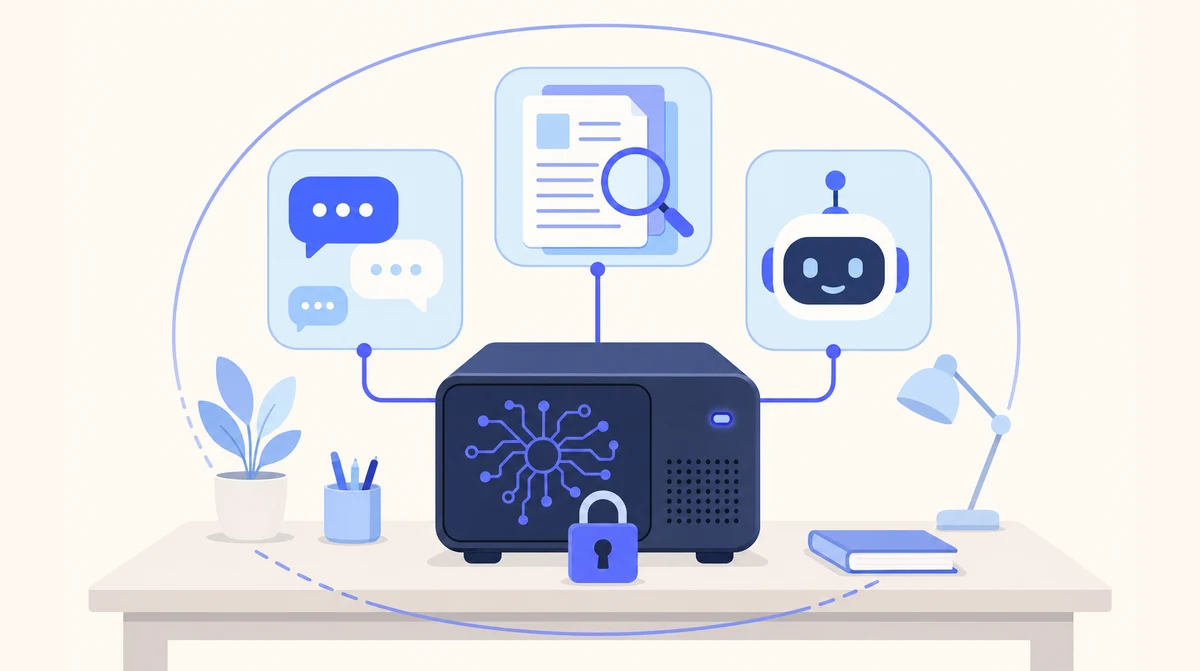
One machine in the firm, running private chat, document spaces and assistants. Matter files never leave the office.
Cloud Agents for Intake, Local AI for the Matter Files
New-client calls and the general enquiries inbox carry little that is privileged, so firms run those on our hosted agents and keep client files on a Local AI machine in the office.
- ☁ Cloud-based AI Receptionist
- ☁ Cloud-based Email Manager
- ☁ Cloud-based Leads Outreach
- 🏢 On-premise Local AI
Where Client Material Goes, Tool by Tool
Law firm AI is usually a conversation about capability. For most firms it is really a conversation about where the documents go.
| Public chatbot | Cloud legal AI tool | Local AI in the firm | |
|---|---|---|---|
| Where matter documents are processed | The provider’s servers | The vendor’s servers | A machine in your office |
| Engagement terms forbidding third-party processing | Breached quietly | A conversation with each client | Not engaged — no third party |
| Privileged material | Disclosed to a provider | Disclosed to a vendor under contract | Never leaves the building |
| Insurer’s AI questions | Hard to answer well | Answered per vendor | Answered in one sentence |
| Used to train models | Depends on the plan | Per the contract | Never |
| Reads the firm’s precedents and files | Only what is pasted in | If uploaded | Spaces with citations, imported at setup |
What Fee Earners Actually Use It For
The SRA expects solicitors to keep the affairs of clients confidential, the Law Society’s guidance on generative AI expects firms to know where client data is processed, and a growing number of engagement letters — especially from corporate and institutional clients — forbid third-party processing in terms. Professional indemnity insurers have started asking about AI use at renewal. Meanwhile fee earners with a bundle to read by Thursday are pasting correspondence into whatever chatbot is open.
Local AI gives them the same tool on a machine in the office. Matter documents, correspondence and precedents go into document spaces, organised by matter or practice area. A litigator can ask for a chronology from three years of correspondence and get one with every entry cited to the page. A conveyancer can ask what the lease says about alterations and get the clause. A commercial fee earner can put two versions of an agreement side by side and get the differences listed. A trainee can produce a first draft from the firm’s own precedent, in the firm’s own house style, and hand it to a supervisor.
What it does not do is give advice. Every output is a starting point for a qualified person, and the training says so. It also does not connect to the case management system, which remains the system of record; documents are exported to the machine, not the other way round. Which fee earners can see which matters follows the access controls the firm already administers through its Microsoft 365 or Google Workspace sign-in.
On the data protection side, under UK GDPR, the firm remains the controller, retention policy keeps applying, and there is no AI processor and no restricted transfer to add to the record. We act as a processor only for the support access you grant us, under a data processing agreement. A private LLM for law firms, done properly, is a confidentiality measure with a drafting assistant attached.
The Documents, and What Happens to Them
Every row is material the firm already holds. Nothing in the first five rows is sent anywhere.
| Document | What the fee earner asks for | What stays where |
|---|---|---|
| Correspondence on a matter | A chronology, every entry cited | On the machine, in the office |
| Bundles and disclosure | A summary; the passages on a point | On the machine, in the office |
| Leases, contracts, agreements | What clause 14 says; the differences between two versions | On the machine, in the office |
| Precedents and house style | A first draft, for a supervisor to review | On the machine, in the office |
| Counsel’s advice and privileged notes | Searchable within the matter, by permitted staff | On the machine, in the office |
| Case management system | Not connected — remains the system of record | Your existing system |
| Included | Not included |
|---|---|
| A dedicated machine, sized for your team, rented to you (not sold) and installed by us | A cloud subscription — nothing runs on our servers |
| £500 per month for the software and the hardware rental | Buying the hardware — the machine is rented, not sold |
| Private chat, document spaces and custom assistants on that machine | Clinical, legal or financial advice — it drafts, you decide |
| Single sign-on with your Microsoft 365 or Google Workspace | A replacement for your practice, case or CRM system |
| Import of your existing documents, and training for the people using it | Phone answering — see AI Receptionist |
| Software updates, model upgrades and support from the people who installed it | Inbox automation — see Email Manager |
| Document spaces organised by matter or practice area, imported at setup | Any connection to your case management system |
From a Partner’s Call to a Machine in the Office
Weeks, not months. Most firms start with one practice area — the litigation team, or the conveyancing files — and widen once it is in daily use.
A call with a partner or the COLP
Practice areas, headcount, which team goes first. We specify the machine from that and walk through the data flow.
Install and import
The machine goes on the firm’s network. Sign-in connects to your Microsoft 365 or Google Workspace. Files, correspondence and precedents for the first team are imported into spaces.
Train fee earners, then support
We train the people who will use it, including what it is not for. Updates, model upgrades and support follow, from the people who installed it.
Where Local AI Is the Wrong Answer
We would rather lose the enquiry than the trust. Three things we tell every prospect before they sign anything.
It is not a fee earner
Local AI drafts, summarises and finds. It does not advise, and it does not know your client. Every output is a starting point for a qualified person, and the training says so. Firms that want AI to replace judgement should not buy this.
It is slower than the big cloud models
Open-weight models on a single machine are capable for summarising, drafting and answering questions about your own documents. For frontier reasoning on hard, novel problems, the largest cloud models are still ahead. That is the trade.
It is a weeks-long install, not a sign-up
A cloud agent is live in days. Local AI needs the machine specified, delivered, installed on your network and your documents imported. Weeks, not months — but not tomorrow.
Built With the COLP in the Room
Confidential by construction
Model, files and chat history on one machine in the office. No third-party AI processor, no transfer.
Access follows the firm’s rules
Which staff see which matters is set through the sign-in you already administer.
Stays out of the system of record
Documents are exported to the machine. Your case management system is untouched.
Honest about the trade
Local models are capable and somewhat slower than the largest cloud services. We say so before you sign anything.
Which Page Answers Your Firm’s Question
| If your question is… | The short answer | Read more |
|---|---|---|
| What exactly is installed? | One machine: chat, spaces, assistants, support | On-premises AI solution |
| What does the COLP need to see? | No processor, no transfer, for the AI step | GDPR compliant AI |
| Is this what people mean by private AI? | Yes — private by construction | Private AI |
| We want to host it ourselves | It sits in the firm; we maintain it | Self-hosted AI |
| We are a City firm | Installed on site across the capital | Local AI London |
| New-client calls go unanswered | A hosted agent, live in days | AI Receptionist |
| Why on-premises at all? | The case for Local AI, in full | Local AI product page |
Local AI for Law Firms: Common Questions
What does local AI do in a law firm?
It searches, summarises and drafts against the firm’s own documents: bundle summaries, chronologies from correspondence, first drafts from precedents, comparisons between contract versions, answers to “what does the lease say about…” with the page cited. All of it on a machine inside the office.
Is it consistent with our SRA confidentiality duty?
That is a judgement for the firm, but the facts are simple: the model, the documents and the chat history stay on a machine in your building. There is no third-party AI processor and no transfer. Bring your COLP to the call; these are the questions we would rather answer early.
What about legal professional privilege?
Privileged material is not disclosed to anyone because it is not sent anywhere. The machine produces answers in the room. Your existing access controls decide which staff can see which matters, through the Microsoft 365 or Google Workspace sign-in you already administer.
Does it give legal advice?
No. It drafts, summarises and finds. Every output is a starting point for a fee earner, and anything constituting legal advice stays with a qualified person. We say so in the training and we would say so to your insurer.
Can it read our case management system?
It does not connect to it. Documents and correspondence are exported into spaces on the machine, organised by matter or practice area. The case management system stays the system of record.
What is a private LLM for law firms?
A large language model running on hardware the firm controls, rather than accessed through a provider. Ours uses open-weight models — models whose weights are published so they can run anywhere — installed on a machine in your office and kept current by us.
How much does Local AI cost?
£500 per month for the software and the hardware rental. The dedicated machine is rented to your business, not sold: you never buy the hardware. It is installed in your building and runs the private chat, document spaces and assistants. Local AI is for business customers only.
Keep the Matter Files in the Building
Tell us your practice areas and what fee earners are pasting into chatbots today. One short call to size the machine, with your COLP welcome on the line.
Prefer email? sghaith@businessaiagents.co.uk