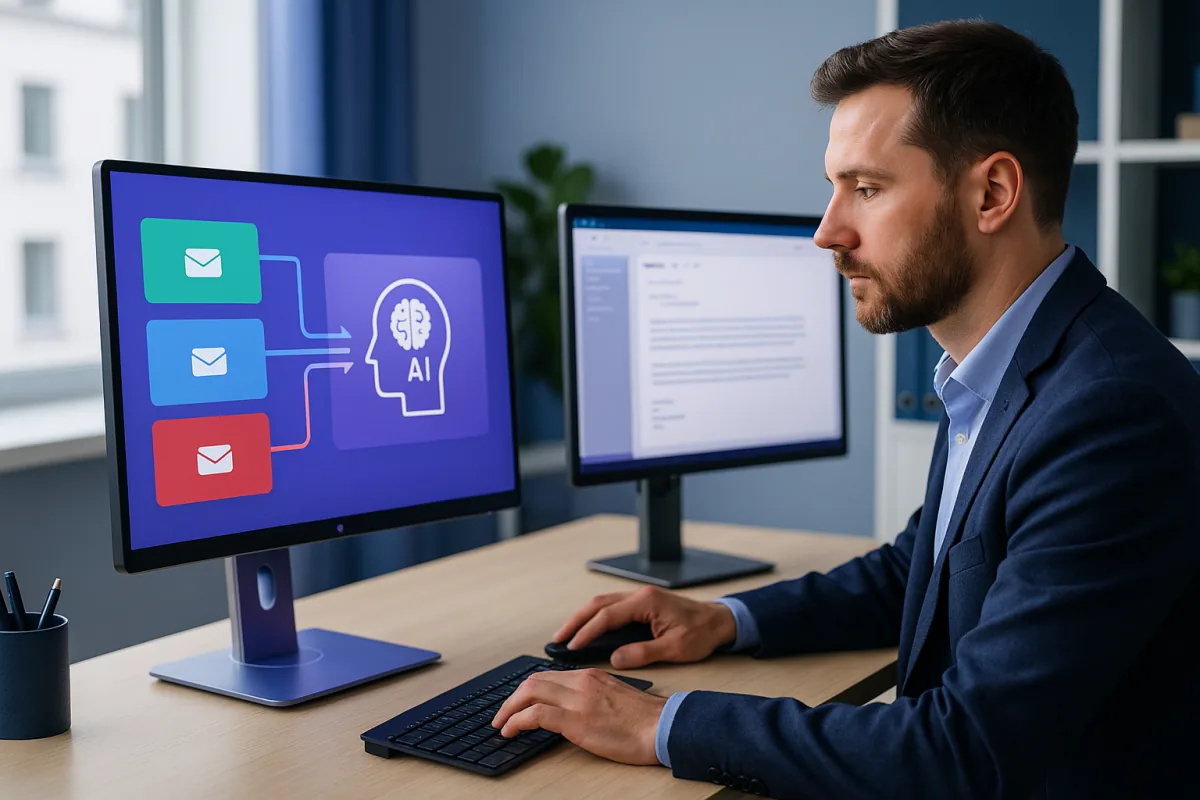
Business AI Agents' AI Inbox Manager—our Email Manager product—is a customisable AI automation solution in the UK built for professional services. It integrates with Microsoft 365 Outlook (and can be adapted for Gmail) and turns inbox handling into a structured workflow—without burdening staff once configured.
Step 1: Automatic classification & colour-coded triage in Outlook
Emails are categorised instantly into defined buckets, for example:
| Colour | Category | Examples |
|---|
| Green | General enquiries | Pricing, FAQs |
| Blue | Appointment requests | Bookings, scheduling |
| Red | Urgent matters | Deadlines, compliance alerts, clinical escalations |
| Grey | Miscellaneous | Newsletters, supplier updates |
Scenario (London solicitor): Monday morning shows 134 weekend emails. The AI highlights 3 urgent red items immediately, with enquiries and appointment requests grouped below—cutting "inbox scanning" from ~45 minutes to minutes.
Step 2: Intelligent draft replies using your own knowledge base
The AI generates replies from a knowledge base created from your website pages, service descriptions and fee guides, policies and FAQs, and internal documents (where appropriate).
Modes:
- Draft mode: safer for regulated environments—review, then send.
- Auto-send mode: for low-risk repetitive questions.
Scenario (Birmingham accountants): 34 versions of "When is the self-assessment deadline?" arrive. The AI replies in seconds—removing 34 repetitive tasks before 9am.
Step 3: Instant appointment acknowledgements
Appointment request emails get immediate acknowledgement in your practice's name. If calendar integration is enabled, the agent can offer suitable time slots to reduce email chains.
Step 4: Urgent escalation after hours (weekends + UK public holidays)
For urgent emails, the system can flag and notify during business hours, forward after hours to the on-call or responsible team member, and send confirmation to the sender that escalation occurred.
- A patient emailing a Manchester clinic late Saturday gets an escalation confirmation.
- A custody-related email on a long weekend doesn't sit unseen.
- An HMRC audit notice over a bank holiday weekend triggers an alert to the right person.
Step 5: Fully configurable around your workflows
During setup, Business AI Agents tailors the system to how your team actually works: replies in your tone and terminology, routing rules aligned to your structure, a knowledge base built from your real content (updateable), and categories refined based on your incoming email patterns.
What UK practices are achieving with AI inbox automation
- Daily email management time cut sharply—the 40–60% range is commonly reported across deployments
- Response times reduced from hours to minutes
- Fewer missed urgent messages on weekends/public holidays
- Improved client satisfaction due to faster, more consistent replies
- Senior staff reclaiming billable hours every day
Ready to reduce email overload in your UK business?
The inbox problem is solvable—without disrupting how your practice operates.
Business AI Agents builds custom AI agents for UK SMBs, designed around your processes and the tools you already use. Our AI Inbox Manager connects to Outlook, learns how your practice handles email, and starts reducing inbox load from day one.
Founder: Dr. Shadi Ghaith (PhD Computer Science, UCD; 27+ years software development experience incl. 15 years at IBM Ireland)
Book a free, no-obligation demo and see how the AI Inbox Manager would work with your real inbox, your real emails, and your real clients.
Frequently asked questions
What is AI inbox automation?
Software that reads every incoming email, categorises it (enquiry, appointment, urgent, miscellaneous), colour-codes it in Outlook, drafts replies from your own knowledge base, and escalates urgent messages to the right person—turning a flat inbox into a triaged workflow.
Does AI inbox automation work with Outlook and Gmail?
Yes. Business AI Agents' AI Inbox Manager integrates with Microsoft 365 Outlook first, with Gmail compatibility available. Categories appear as colour-coded labels inside the inbox your team already uses.
Is AI email drafting safe for regulated practices like solicitors and GPs?
Yes, using draft mode: the AI prepares the reply from your approved content and a human reviews before sending. Auto-send is reserved for low-risk repetitive questions, and routing rules keep sensitive matters with the right people.
How does after-hours email escalation work?
Urgent emails are flagged and forwarded to the on-call or responsible team member outside business hours—including weekends and UK bank holidays—and the sender receives an immediate confirmation that their message has been escalated.
How much time does AI email management save?
Teams adopting inbox automation commonly report email-management time cut by 40–60%, with response times falling from hours to minutes. Exact savings depend on volume and how much reply drafting is automated.