Is There an Offline AI? How AI Works Without the Internet, and Why a Law Firm Would Want One

Published on 21 September 2026
Business AI Agents logo
Dr. Shadi Ghaith Founder, Business AI Agents ·

Is there an offline AI? Yes. Open-weight models such as Google's Gemma, Meta's Llama and OpenAI's gpt-oss run entirely on a phone, a laptop or a dedicated machine in your office, with no internet connection and nothing sent to a provider. You give up some speed and the latest knowledge. You keep every document in the building.

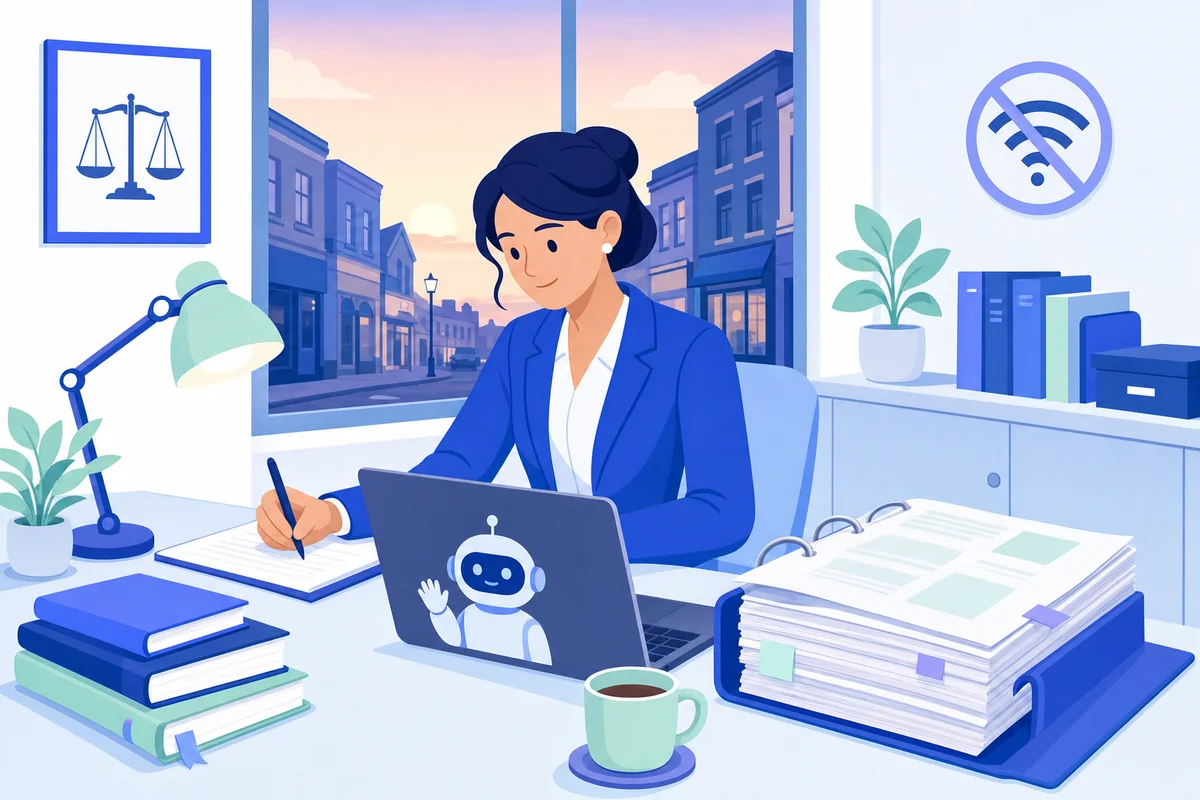
Trainee solicitor at a high-street law firm desk with a thick case bundle, a laptop and a crossed-out wifi symbol
The bundle was 312 pages, the meeting was at nine, and the question was where the first witness statement had just gone.

Why a solicitor asked me whether there is an offline AI

Tuesday, 7.20pm, a two-partner firm in Leeds. A trainee solicitor is alone in the office with a 312-page disclosure bundle and a client meeting at 9am; the partner wants a chronology and a one-page summary of each witness statement. She has used a free chatbot on her phone for "help with wording" for months, so she pastes the first statement in and asks for a summary.

It is good. Then she reads the statement again — the client's name, the neighbour's name, the medical detail in paragraph 14 — and puts the phone face down on the desk. The message she sent the partner that night was one line: "Is there an offline AI? Something that doesn't send this anywhere?" The partner forwarded it to me the next morning with one word added. "Well?"

The honest answer is yes. The useful answer is longer, because "offline AI" means three different things depending on whether you are one person on a train or a regulated firm with nine staff. This article is the longer answer.

How common the quiet paste has become

Almost universal, and mostly unspoken. Clio's UK & Ireland Legal Insights Report 2026, which surveyed 513 legal professionals and 500 members of the public, found that 89% of legal professionals now use AI tools and 70% adopted them in the past year. On the other side of the desk, 79% of the public want to be told when AI is involved in their matter; 7% recall their lawyer mentioning it. Some 17% of firms had no AI policy at all.

The regulator has noticed. The SRA told the Law Gazette it received 42 reports of potential AI misuse between July 2025 and July 2026, covering invented citations and client information going into AI tools. Its warning notice on the misuse of AI, published on 17 August 2026, puts the rule in one sentence: "Client information should only be entered into AI systems where appropriate contractual, technical and organisational safeguards are in place to protect confidentiality." It adds that "both free to use and paid for AI systems may pose risks", and that information entered "may be stored, retained or used to improve the tool". That is not hypothetical: ChatGPT's free and Plus tiers train on conversations by default unless a setting called "Improve the model for everyone" is switched off. The trainee had never seen the setting.

What the tribunal said, and the word it got slightly wrong

In UK v Secretary of State for the Home Department [2026] UKUT 81 (IAC), handed down in November 2025, an immigration adviser had uploaded Home Office decision letters into ChatGPT to summarise them for clients. The Upper Tribunal observed that "uploading confidential documents into an open source AI tool such as ChatGPT is to place this information on the public domain" and to waive legal privilege. The SRA's notice repeats the point: privilege, once waived, "may be permanently waived and unable to be recovered".

One quibble, and it matters for the rest of this article. ChatGPT is not open source; it is a closed product that happens to be public. The models that actually run offline are usually open-weight, meaning the maker has published the model file so anyone can run it on their own hardware. The tribunal reached the right conclusion with the wrong adjective. Public is the problem, and open is a large part of the solution.

The three questions inside the one

When a practitioner asks whether there is an offline AI, they are asking three things, and the app reviews online only answer the first.

  1. Does it exist? Yes, on a phone, a laptop and an office machine. Section two.
  2. Is it good enough to be worth the bother? For most document work, yes, with limits. Also section two.
  3. Can a nine-person firm use it without acquiring an IT department? Yes, and that is not a download. Section three.
Need Help with AI Solutions?

Get in touch with our team or try our AI assistant.

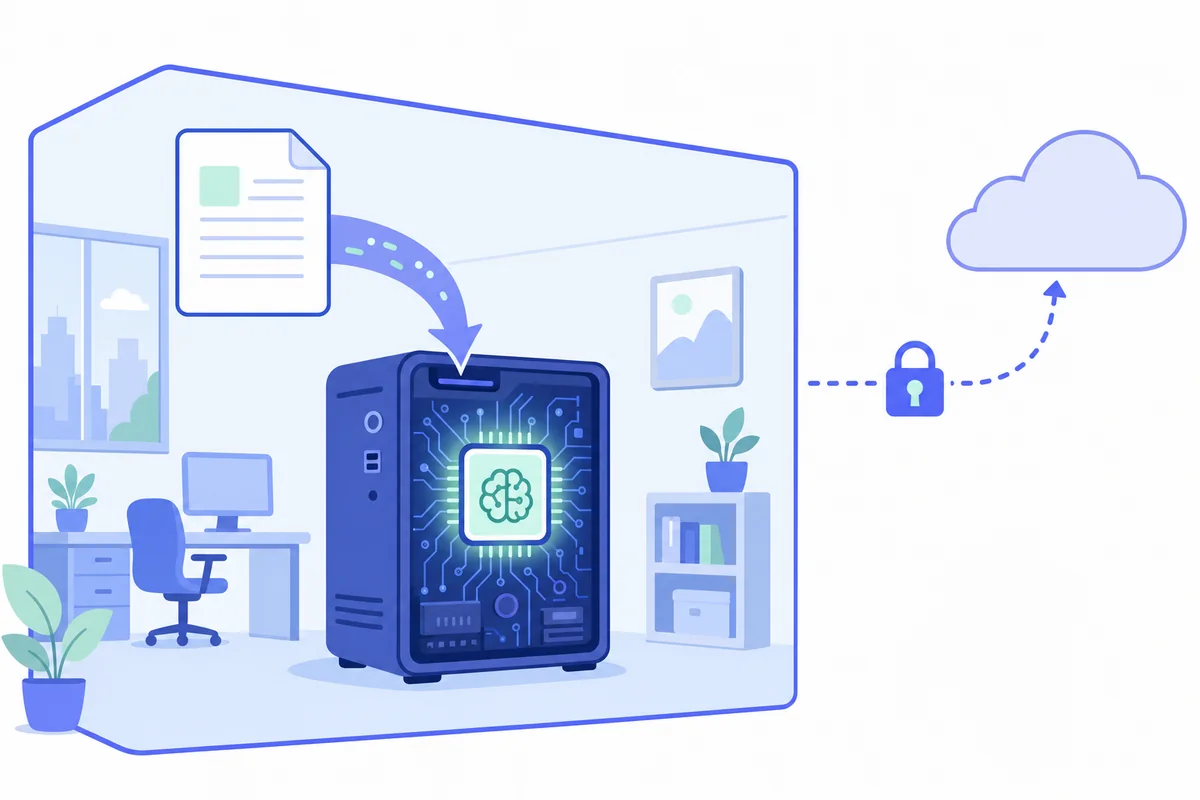
Diagram of a document going into a computer inside an office outline, with the arrow to the cloud broken and padlocked
Offline AI in one picture: the model is a file on your machine, and the arrow to the cloud is simply not there.

Can AI work offline? How it actually works

Yes. An AI model is, physically, a large file of numbers. Offline AI keeps that file on the device doing the work and runs the arithmetic on that device's own processor, so a question goes in, an answer comes out, and nothing crosses the internet. Switch the wifi off and it carries on, which is the quickest way to prove to yourself that nothing is leaving.

This is possible because of open-weight models. Meta's Llama, Alibaba's Qwen, Google's Gemma and Mistral have published their model files for years; OpenAI joined them in August 2025 with gpt-oss. Download the file, install a free app that runs it, and you have an AI that works on a plane, in a basement, or in a firm whose broadband has opinions. What you cannot do is take ChatGPT, Claude or Gemini offline. They are services, not files; every prompt makes the round trip to their servers. An offline AI is always a different model doing the same kind of job.

Which AI works offline? Three sizes of answer

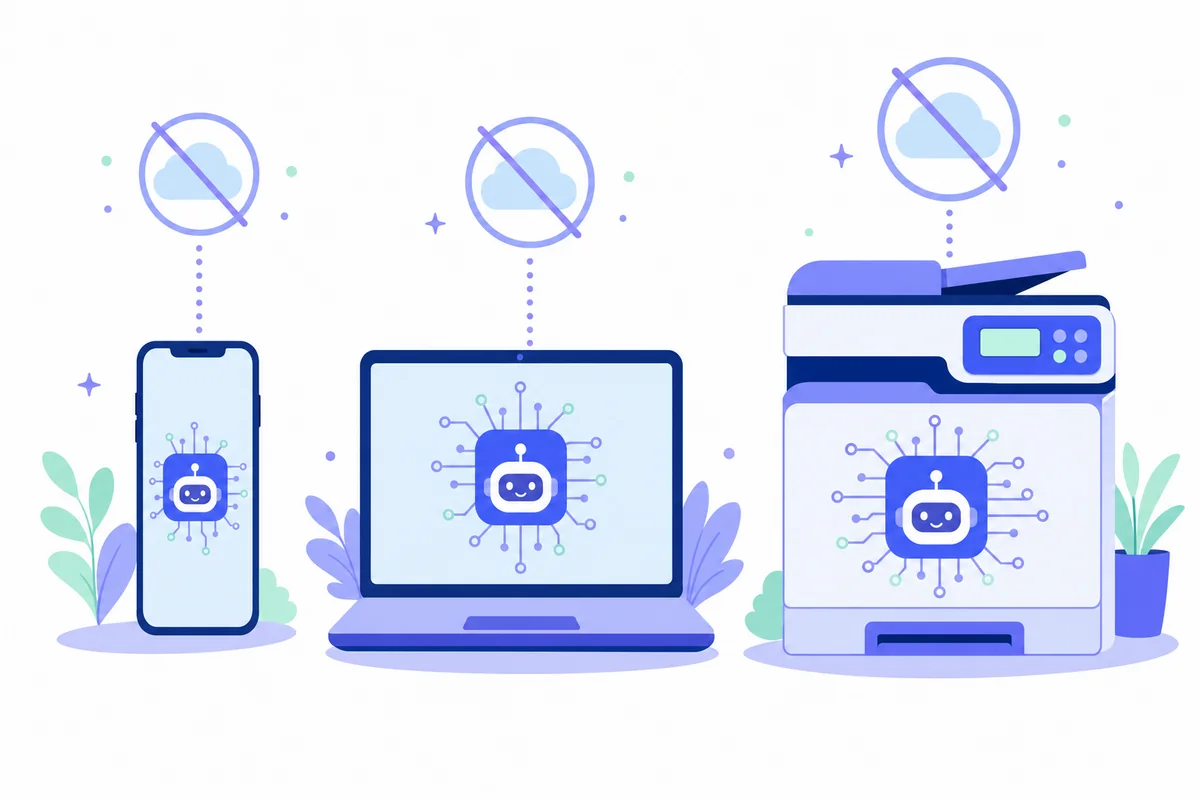
Offline AI comes in three sizes. The right one depends on who needs it and what they are reading.

Where it runsWhat you installWhat it handlesHonest verdict
Your phoneGoogle AI Edge Gallery (Gemma 4), or a third-party offline AI appChat, summarising a PDF, transcribing a recordingHandy on a train. A small brain in one pocket.
A laptop or desktopJan, LM Studio, Ollama or GPT4All, plus a model sized to your memoryLetters, summaries, questions about one document at a timeThe realistic starting point. 8 GB of RAM works; 16 GB is comfortable.
A dedicated office machineLarger models, a shared web interface, sign-in for the team, document spacesWhole bundles, the precedent bank, several people at onceWhat a firm needs. An install project, not a download.

Is there an offline AI app for a phone? Yes, and the most credible one is Google's own. Since April 2026 the free AI Edge Gallery app has run Gemma 4 entirely on the handset: it summarises a PDF, transcribes audio and holds a conversation with the connection off. It is a real answer for one person, and not where a client's bundle should live, for the same reason the firm's files do not live in the trainee's handbag.

Does AI work offline as well as it does online?

For the work a law firm actually gives it, mostly yes. For the work it imagines giving it, not entirely. That gap is the difference between a useful purchase and a disappointed one.

TaskWorks offline?What to expect
Summarise a bundle or a witness statementYesGood on a laptop, better on an office machine. Page references need document search set up.
Draft a client letter in the firm's toneYesGive it two of your own letters as examples; it copies the register well.
Answer questions about your own precedents and filesYesNeeds the documents in a searchable space; then it cites the page the answer came from.
Transcribe a dictated attendance noteYesOffline speech models are excellent. Names still need a check.
Check today's case law or a live statuteNoAn offline model knows nothing after the date its file was made. That is what your research subscription is for.
Think through a novel point of lawPartlyThe largest cloud models are still ahead on the hardest reasoning. Local models are good, and smaller.

Speed is the other honest difference: a laptop without a graphics card produces a few words a second, a dedicated machine with one many times that. We run this class of model daily on the machines we install, and "a bit slower, and it does not know about last week" is a fair summary of the trade.

What going offline does not fix

Three things, and every guide to offline AI apps skips them.

It does not fix the model's imagination. In Ayinde v London Borough of Haringey [2025] EWHC 1383 (Admin), five cases that did not exist were put before the High Court. An offline model invents authorities exactly as fluently as a public one; it simply does so in private. The fee-earner still checks every citation against the source, whatever the tool.

It does not make a bad setup private. In September 2025 Cisco Talos scanned the internet for about ten minutes and found 1,139 local-AI servers exposed to the public, roughly a fifth answering with no password at all. Each was someone who had "gone offline" and left the front door open. A do-it-yourself office server can be less private than the cloud it replaced.

It is not mainly about outages, though that helps. Vorboss found that 51% of UK business connectivity customers had an outage in the year to January 2024, and 19% had three or more. An AI on your premises drafts the letter while the router blinks. That is a side-effect, not the reason to buy it; the reason is the trainee's phone, face down on the desk.

One last thing worth a wry look. The National Cyber Security Centre wrote in March 2023 that self-hosted models "are likely to be highly expensive" but "may be appropriate for handling organisational data". Three years on, the second half is truer than ever and the first half describes a machine that fits under a desk.

Need Help with AI Solutions?

Get in touch with our team or try our AI assistant.

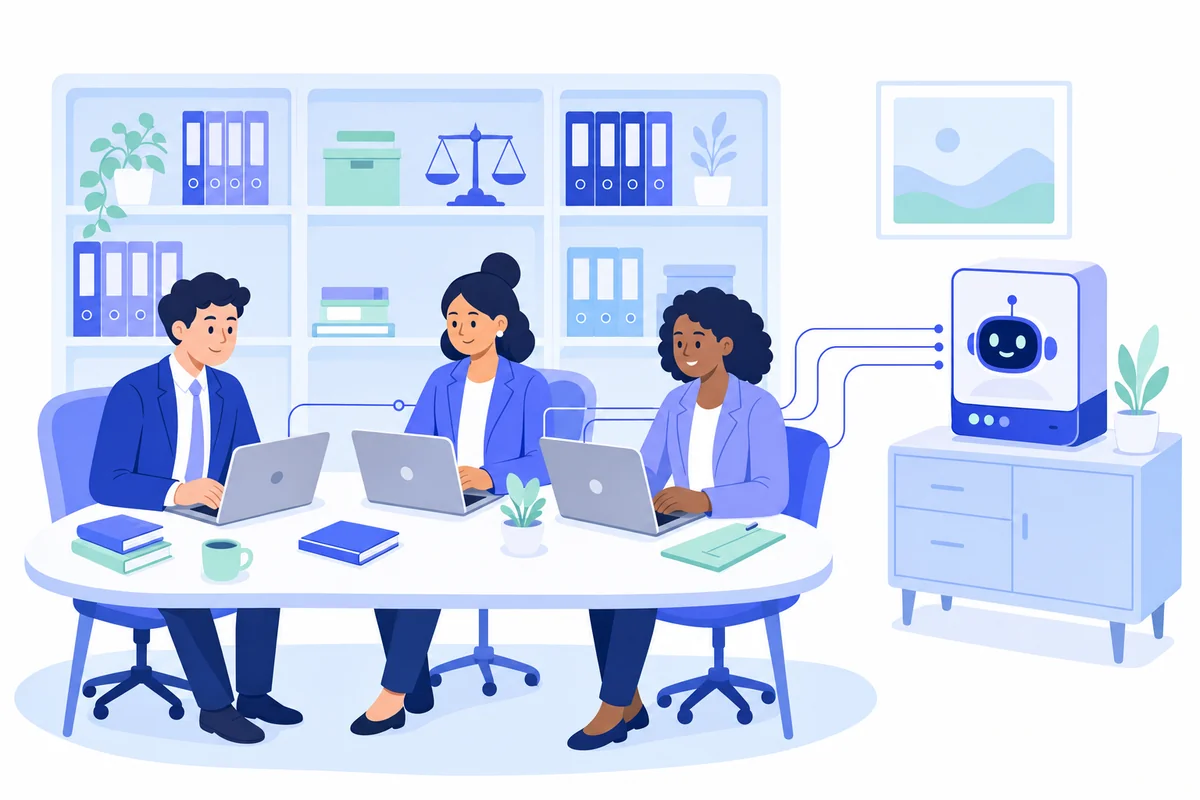
Small legal team at a shared table, each laptop linked to one dedicated local AI machine in the same room
One machine in the firm, sized for the team, with the bundles, the precedent bank and the chat history living on it.

How we set up offline AI for a law firm, not a phone

This is the third answer, and the one we built a product for. Local AI is a dedicated machine we supply, install on your premises and support, running open-weight models with your documents and chat history on it. The general case — hardware, models, laptop versus team — is in our plain-English guide to running AI locally; this section is what it looks like in a law firm.

Back to Leeds. Here is the trainee's Tuesday with the machine in place.

The bundle stays in the building. She opens a ChatGPT-style assistant in her browser, signed in with the firm's own Microsoft 365 account, and uploads the 312 pages to the matter's document space. She asks for a chronology and a summary of each witness statement with page references, and the machine in the server cupboard produces both. The bundle has travelled six metres over the firm's own network, and stopped.

The firm's know-how becomes searchable, and access follows the matter. The precedent bank, the office manual and the Lexcel and CQS procedures sit in spaces on the same machine, and a paralegal asking "what is our procedure when a client wants to change the executors after signing?" gets the answer with a link to the page it came from. Conveyancing sees its own spaces, private client sees theirs, and the litigation bundle is visible to the three people on the case.

The repetitive bits become assistants. A dictated attendance note turned into a tidy file note; a first draft of a client-care letter for a new matter type; a "what is still outstanding on this file" summary before a review. Each is a small assistant on the same box, the same thinking as building any custom AI, with the constraint that nothing may leave.

The solicitor still signs. Advice, strategy and every citation stay with the fee-earner, who checks the output against the source before it goes anywhere. That line is written down before the machine is switched on, the same way we set the human checkpoints in every agent we ship.

What we take off your plate

The reason most small firms never get past the laptop is not the AI; it is the server project nobody asked for. So we size the machine, install it on your network, connect sign-in to Microsoft 365 or Google Workspace, import your documents with the right access rules, train the team, and keep the models updated. Backups are agreed before go-live. There is nothing for your IT support to build, and no exposed server for Cisco to find.

What it does to the SRA and confidentiality conversation

No product makes a firm compliant. What offline AI on your own premises does is answer the regulator's questions in their simplest form.

What the SRA and Law Society ask aboutA public chatbotOffline AI on your premises
Contractual safeguardsConsumer terms nobody at the firm negotiatedNo third-party AI processor for this step; a data processing agreement covers our support access only
Technical safeguardsData on a provider's servers, retained, possibly used for trainingData never leaves your network and is never used to train anything
Legal professional privilegeThe tribunal's view: placed in the public domainNever leaves your control, so the question does not arise
Supervision and verificationRequiredRequired. Nothing changes here, and nothing should
UK GDPR transfers and processorsInternational transfer questions to answerNo transfer, no AI processor to appoint for this processing
Telling the clientAn awkward conversation"On our own machine, in this office" is an easy one

You remain the data controller throughout, the retention rules still apply, and the fee-earner is still responsible for the work. We act as a processor only for the support access you choose to give us, under a written agreement — the same discipline we hold ourselves to in our own privacy policy. Bring your COLP to the call.

Where offline is the wrong answer

Plenty of a firm's AI work involves no privileged material, and for that the cloud is faster and cheaper. An AI Receptionist answering new-enquiry calls handles a name and a phone number, not a bundle; an Email Manager sorting the general inbox files enquiries, not advice. The Leeds firm runs Local AI for anything touching a client file and cloud agents for the phones and the shared inbox. The honest limit: Local AI is slower than the biggest cloud models, weaker on hard novel reasoning, and costs a machine up front. For a firm whose most valuable documents are the ones it cannot send anywhere, that is the right trade. For a firm that mostly wants a faster brainstorm, it is not, and we will say so.

Need Help with AI Solutions?

Get in touch with our team or try our AI assistant.

A phone, a laptop and an office machine side by side, each running AI with the cloud symbol crossed out
Three sizes of offline AI. The right one depends on who needs it and what they are reading.

Questions UK firms ask about offline AI

Frequently asked questions

Is there an offline AI?

Yes. Open-weight models such as Google's Gemma, Meta's Llama, Alibaba's Qwen and OpenAI's gpt-oss can be downloaded and run on a phone, a laptop or a dedicated machine in your office with no internet connection. ChatGPT, Claude and Gemini themselves cannot run offline; they are services that live on their makers' servers.

Can AI work offline?

It can, as long as the model file is stored on the device doing the work. The processor runs the arithmetic, so a question goes in and an answer comes out without anything crossing the internet. Switch the wifi off and it keeps going, which is the quickest way to prove nothing is leaving.

Which AI works offline?

Any open-weight model run through a local app: Gemma 4 through Google's AI Edge Gallery on a phone; Llama, Qwen, Mistral, Gemma or gpt-oss through LM Studio, Jan, Ollama or GPT4All on a laptop; and larger versions of the same models on a dedicated office machine that a whole team signs in to.

Is there an offline AI app for my phone?

Yes. Google's free AI Edge Gallery app runs Gemma 4 entirely on the phone and can chat, summarise a PDF and transcribe audio with the connection off. Several third-party apps do the same. They are useful for one person on the move, and the wrong place for a client file that other people need.

Is offline AI safe for confidential client files?

Safer than any public chatbot, because the file never leaves hardware you control and is never used to train anything. It is only as safe as the setup, though: a do-it-yourself server left open to the internet is worse than the cloud. A managed install with sign-in, access rules and backups makes it suitable for client work.

Does offline AI make a law firm compliant with the SRA?

No tool does. What it gives you is the contractual, technical and organisational safeguards the SRA's August 2026 warning notice asks for, in the simplest form: no third party ever holds the client's information. Supervision, verification of every citation and the fee-earner's responsibility for the work stay exactly where they were.

Where to start, before you buy anything

Try it on a laptop with the wifi off: one free app, one model that fits your memory, one real task with the names changed. Fifteen minutes will tell you what "good enough" means for your work better than any article. Then ask the third question honestly: who else needs this, where would the bundles live, and who looks after the machine? If the answers are "most of us", "in one shared place" and "please, not me", you are past the laptop stage. Start with one team and one clearly defined use, and grow from there.

Back to Leeds, a Tuesday in the autumn, 7.20pm. Same trainee, same 312 pages, same meeting at nine. She uploads the bundle to the matter's space, signed in on the firm's account, and the machine in the server cupboard hands back a chronology and eight summaries with page references. She checks them against the bundle, fixes one date, and goes home. The bundle never left the building, and nobody's phone had to lie face down on a desk.

If you would like to know whether offline AI fits what your firm actually does, tell us what you would want it reading and we will give you a straight answer, including "not yet" if that is the truth. Or ask the chat agent on this page — it runs in the cloud, which is exactly the distinction this article is about.