Can I Run AI Locally? What On-Premise AI Actually Means for a UK Business

Published on 15 September 2026
Business AI Agents logo
Dr. Shadi Ghaith Founder, Business AI Agents ·

Can I run AI locally? Yes. Open-weight AI models now run on an ordinary desktop, a laptop, or a dedicated machine in your office, with no connection to a cloud service. Your prompts and documents stay on hardware you own. The trade is some speed and peak capability in exchange for privacy, control and a predictable cost.

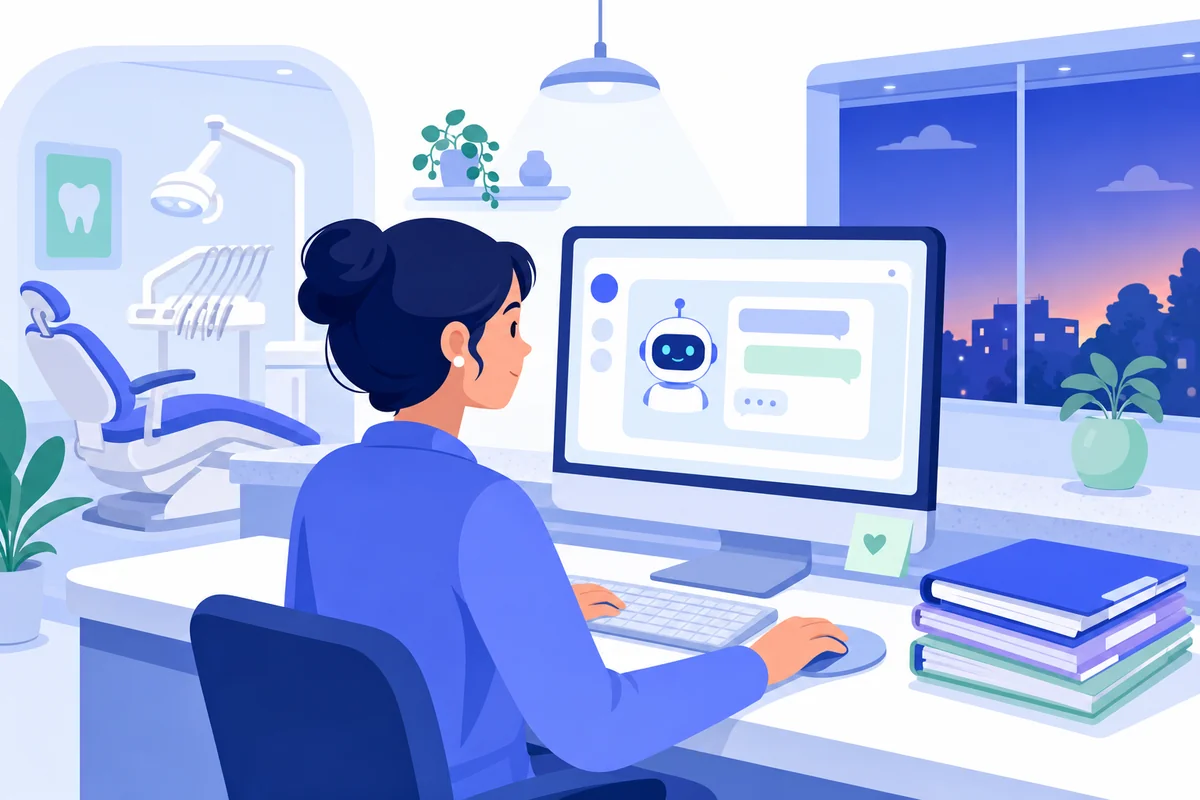
Dental practice manager at a reception desk drafting a letter with an AI chat window beside patient files
The letter was excellent. The question was where the patient's medical history had just gone.

Why a dental practice manager asked me whether AI could run locally

Thursday, 6.10pm, a three-surgery dental practice in Bristol. The last patient has gone, the autoclave is running, and the practice manager is writing a referral letter to an oral surgeon from the dentist's clinical notes. She has done this roughly 400 times. Tonight she opens a free chatbot on her phone, pastes the notes in — name, date of birth, medical history, medication, the lot — and asks for a referral letter.

Nine seconds later she has one, and it is better than the template. Then she stops, because something about it feels like the moment before you realise you have left the front door open. She sent me the question that evening: "Is that allowed? And can I run AI locally instead, so it never leaves the practice?"

It is the right question, and the honest answer has three parts. This article is those three parts.

How common the Thursday-evening paste is

Very. The LayerX Enterprise AI & SaaS Data Security Report (October 2025) found that 77% of employees paste data into generative AI prompts, and that 82% of those pastes come from personal accounts the business cannot see. The average is 14 pastes a day, at least 3 of them containing sensitive data.

It costs real money when it goes wrong. IBM's Cost of a Data Breach Report 2025 found that one in five organisations studied had suffered a breach linked to "shadow AI" — tools staff adopted without anyone approving them — and that those breaches cost $670,000 more than average, roughly £500,000. Some 63% of breached organisations had no AI governance policy at all.

The UK picture is the same shape. The government's Cyber Security Breaches Survey 2026 found 31% of businesses using, adopting or considering AI, and of those, only 24% with any process to manage the risks. Meanwhile the ONS reports AI use in UK businesses with 10 or more staff has nearly tripled since late 2023, to around 35%. The tools arrived faster than the thinking.

Why it matters more in a dental practice than a design studio

Because clinical notes are health data, and health data is special category data under UK GDPR. Pasting it into a consumer chatbot on a personal account means a third party you have no contract with is now processing it, in a country you have not checked, under terms nobody at the practice has read. The letter being good does not change any of that.

The tool itself is not the problem. The MHRA's July 2026 guidance confirms that AI used to transcribe, summarise and draft correspondence for a clinician to review is not a medical device, and the clinician stays responsible for what goes to the patient. So drafting a referral letter with AI is fine. The whole question is where the data goes while it drafts — which is exactly what "can I run AI locally" is really asking.

The three questions hiding inside the one

When a business owner asks whether they can run AI locally, they are asking three things at once, and the guides online only answer the first.

  1. Is it technically possible? Yes, on surprisingly ordinary hardware. Section two.
  2. Is it good enough to be useful? For most office work, yes, with honest caveats. Also section two.
  3. Can it work for a team, not just one laptop? Yes, but that is a different project from a download, and it is the part everyone skips. Sections two and three.
Need Help with AI Solutions?

Get in touch with our team or try our AI assistant.

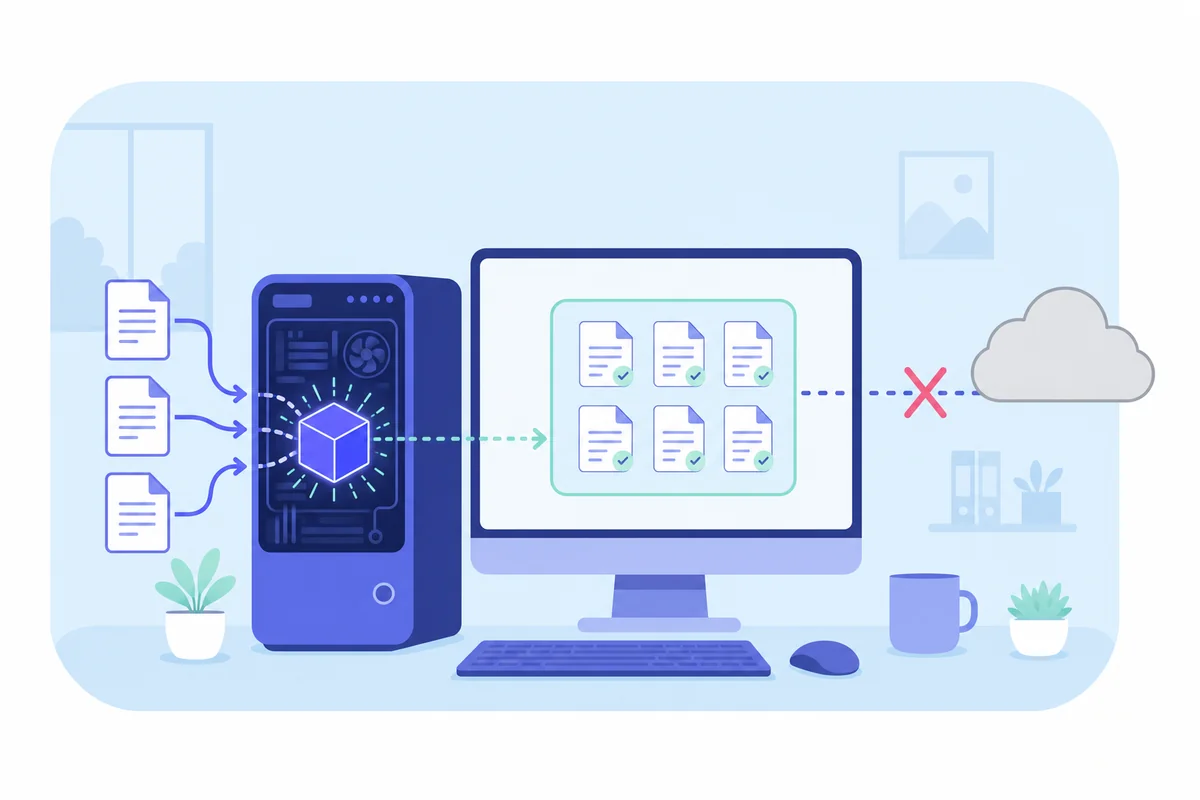
Diagram of an AI model running inside an office computer with the connection to the cloud crossed out
Running AI locally: the model is a file on your machine, and the arrow to the cloud simply is not there.

What does running AI locally actually mean?

Running AI locally means the AI model — which is, physically, a very large file of numbers — is stored and run on a computer you own, rather than on a provider's servers. Your prompt goes into that machine, the answer comes out of it, and nothing in between travels over the internet. No account, no subscription, no data leaving the building.

This became realistic for ordinary businesses because of open-weight models. A model is "open-weight" when its maker publishes the file itself, so anyone can download it and run it. Meta's Llama, Alibaba's Qwen, Google's Gemma and Mistral have done this for a while; in August 2025 OpenAI joined them with gpt-oss, released under a licence that allows commercial use, with the smaller version designed to run in 16 GB of memory.

One thing to be clear about: ChatGPT, Claude and Gemini, the products, cannot run locally. They are services. What you run locally is an open-weight model that does the same kind of work, usually a little less brilliantly, entirely on your own hardware.

Can I run AI locally on the computer I already have?

Almost certainly, for one person. The limiting factor is memory, not processor. A useful rule from the local-AI community: a model needs about twice its file size in free memory to run comfortably, so a 4 GB model wants roughly 8 GB of RAM.

Memory (RAM)Model size it runsGood forHonest verdict
8 GB3–4 billion parametersShort summaries, simple drafts, quick questionsWorks. Noticeably basic.
16 GB7–9 billion parametersLetters, summaries, Q&A on a documentThe realistic starting point for office work
32 GBAround 27–30 billionLonger documents, more careful reasoningClose to cloud quality on everyday tasks
64 GB+ or a dedicated graphics card70 billion and up (compressed)Multi-document work, a whole teamWhat a shared office machine looks like

Speed is the other half. Without a graphics card, a laptop produces a few words a second — fine for a letter, tedious for a 40-page contract. With a decent graphics card or an Apple Silicon Mac with unified memory, the same model runs many times faster. Neither costs what a server used to.

How to run AI locally: the fifteen-minute version

For one person on one machine, how to install AI locally comes down to three steps, and none of them involve a command line unless you want one.

  1. Install a runner. LM Studio and Jan are point-and-click desktop apps; Ollama is the popular developer option. All three are free and use the same underlying engine.
  2. Download a model sized to your memory. The app shows you a list. Pick a 7–9 billion parameter model if you have 16 GB, and start there.
  3. Type. That is it. It works with the wifi off, which is the quickest way to prove to yourself that nothing is leaving.

We did exactly this on an ordinary 16 GB laptop in the office, and the first referral-style letter came out in a little under a minute. It was competent. It was not fast. Both of those facts matter.

How good is local AI, honestly?

Good enough for most of what an office actually does with AI: summarise this, draft that, pull the dates out of these, answer questions about our own documents. On those tasks a mid-sized open-weight model does the job to a standard most people are happy with.

Where it falls short, and we would rather say so than have you find out: it is slower than the big cloud services, typically several times slower on the same task. Smaller models are weaker at long, multi-step reasoning and more likely to state something wrong with confidence. The very largest cloud models are still ahead on hard, novel problems. If your use of AI is "think through this unusual situation for me", cloud wins. If it is "turn these notes into a letter without the notes leaving the room", local wins, and it is not close.

The part every guide skips: a laptop is not a practice

Here is the gap in the "how to run AI locally" articles, and it is the whole reason a business owner should keep reading. They are written for one enthusiast on one machine. A dental practice is 12 people, one shared set of documents, staff who leave, backups, and a regulator. Those are not the same problem.

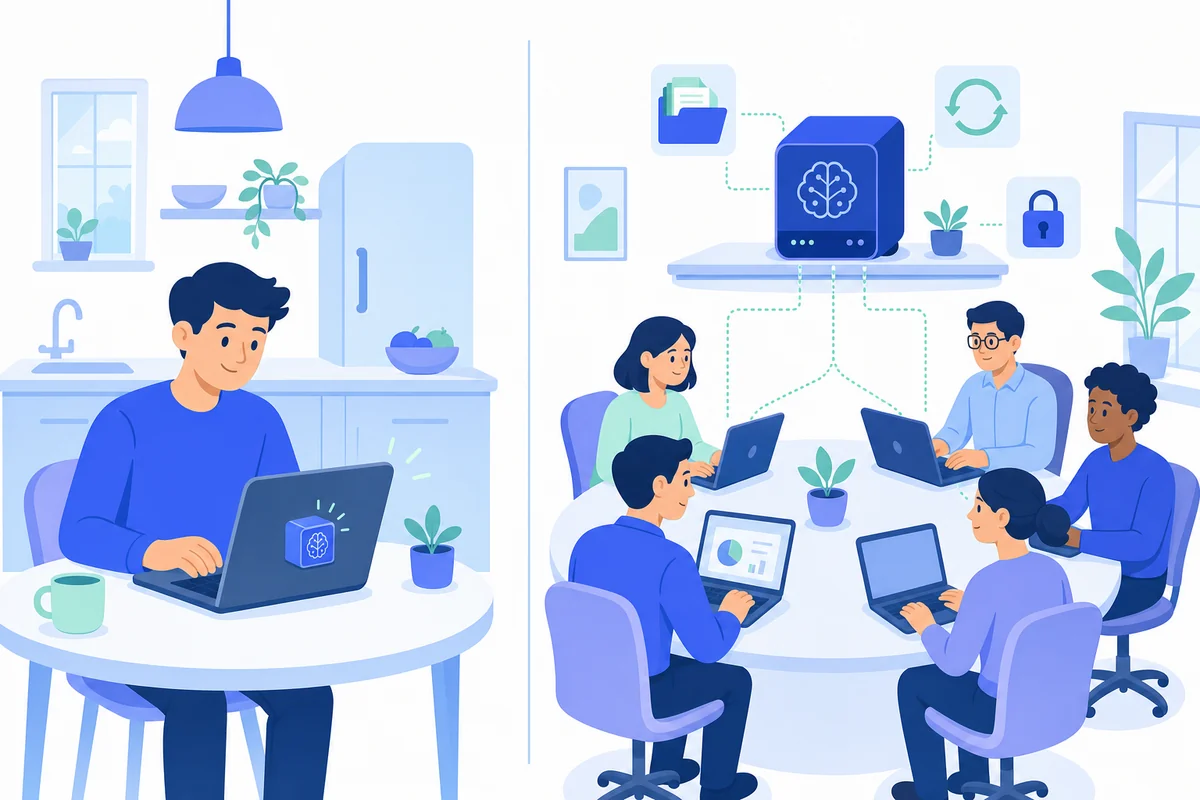
One person with a laptop compared with a dental team sharing a dedicated local AI machine on the office network
The guides answer the left-hand picture. A business is the right-hand one.
QuestionOne person, one laptopA team on shared local AI
Who can use it?Whoever has the laptopEveryone on the network, signed in with their own account
Where are the documents?In one person's folderIn shared, searchable spaces with access rules
What happens when it breaks?Someone reinstalls it at the weekendIt is backed up and somebody is responsible
Who keeps the model updated?Nobody, usuallyNamed, scheduled, part of a support agreement
Is it actually private?Yes, if the laptop isOnly if it is set up to be — see below

That last row is the one that surprises people. A local AI server is only private if it is configured to be. In September 2025 Cisco Talos scanned the public internet for about ten minutes and found 1,139 local-AI servers exposed to anyone, roughly a fifth of them answering queries with no password at all. Every one of those was somebody who had "run AI locally" and had, in effect, left the front door open. A do-it-yourself local setup can end up less private than the cloud service it replaced.

Two more honest limits. Running locally does not fix the model's judgement: the National Cyber Security Centre warned in December 2025 that language models do not reliably separate instructions from data, so a document containing hidden instructions can still steer a local model, and a person still needs to read what comes out. And it does not make you compliant with anything by itself — you are still the data controller, the retention rules still apply, and the clinician is still responsible for the letter. What it changes is one specific, decisive fact: the data has not gone anywhere.

Need Help with AI Solutions?

Get in touch with our team or try our AI assistant.

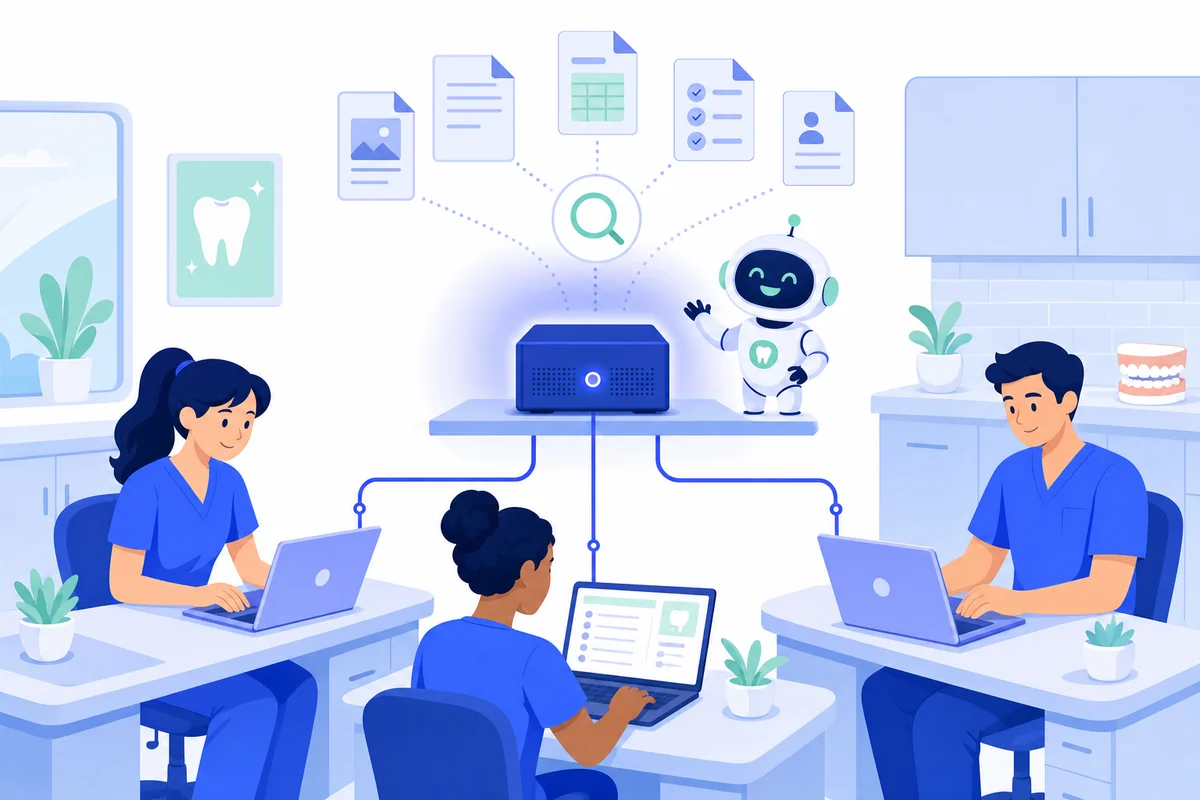
Dental team using a shared local AI machine in the practice office to search documents and draft letters
One machine in the practice, sized for the team, with the documents and the chat history living on it.

How we set up local AI for a team, not a laptop

This is the third answer, and the one we built a product around. Local AI is a dedicated machine we supply, install on your premises and support, running open-weight models, with your documents and chat history stored on it. It is the fifteen-minute laptop setup turned into something a practice can rely on, and we take on the parts that make people give up.

Back to Bristol. Here is what the practice manager's Thursday evening looks like with it in place.

The chat runs in the building. She opens a ChatGPT-style assistant in her browser, signed in with the practice's own Microsoft 365 account, and pastes the clinical notes in. The model on the machine in the back office drafts the referral letter. The notes have travelled about eight metres, over the practice's own network, and stopped.

The documents are searchable, with citations. Practice policies, the CQC evidence folder, supplier contracts and lab agreements sit in document spaces on the same machine. A new nurse asks "what is our procedure for a needlestick injury?" and gets the answer with a link to the page in the policy it came from. Nobody has to know which folder it lives in.

The repetitive bits become assistants. The monthly recall summary, the standard response to a complaint acknowledgement, the checklist somebody runs by hand before a CQC visit — each becomes a small assistant on the same box, scoped with the team. This is what building a custom AI looks like when the constraint is that nothing may leave.

The dentist still signs the letter. Diagnosis, treatment decisions and anything clinical stay with the clinician, which is where the GDC and the MHRA say they belong. The AI does the drafting; a person does the deciding. That line is written down before the machine is switched on, the same way we set the human checkpoints in every agent we ship.

What we take off your plate

The reason most small firms never get past the laptop stage is not the AI. It is the server project nobody asked for. So we size and specify the machine after a short call, supply and install it on your network, set up single sign-on with Microsoft 365 or Google Workspace, import your existing documents into spaces, train the people who will use it, and keep the software and models updated. Backups and a replacement-machine arrangement are agreed before go-live. There is nothing for your IT person to build, and no exposed server for Cisco to find.

What it does to the UK GDPR conversation

No product makes a practice compliant and we will not pretend otherwise. What Local AI does is remove the hardest question from the assessment — where does the personal data go? — because it does not go anywhere. Concretely:

  • No third-party AI processor. The model runs on your machine, so there is no AI provider to appoint, assess or keep under review for that step.
  • No restricted transfer. The data never leaves the UK, so the international transfer paperwork that makes cloud AI hard to sign off does not arise for this processing.
  • Security of processing. Article 32 asks for appropriate technical measures; personal data behind your own access controls, on hardware you physically hold, is a straightforward one to describe.
  • Never used to train anything. Your documents and conversations are not used to train or improve any model, ours or anyone else's.
  • Erasure means erasure. When you action a deletion request there is no third-party copy to chase, because the files never left your systems.

You remain the controller throughout. We act as a processor only for the support access you choose to give us, and we sign a data processing agreement covering it — the same discipline we apply to our own privacy policy. Bring your DPO to the call; these are the questions we would rather answer early.

Cloud or local: which one is actually right for you?

Both are good answers to different questions, and plenty of clients run both. The honest comparison:

QuestionCloud AI agentsLocal AI
Where your data is processedOn our serversOn your premises
Setup timeDaysWeeks, not months
HardwareNoneOne dedicated machine, supplied by us
Best forPhone, email and lead handlingDocument-heavy, confidential work
Internet requiredYesOnly for sign-in
Speed and peak capabilityHigherSomewhat lower, deliberately

For the Bristol practice, the sensible split was Local AI for anything touching clinical notes and practice documents, and a cloud AI Receptionist for the phones, where the data is an appointment request and speed matters more. An Email Manager in the cloud sorts the generic inbox; anything with a patient's history in it gets drafted on the box. Nobody had to pick a side.

An honest limit, because it belongs here: Local AI is slower than the largest cloud models and a little less capable on hard reasoning, it costs a machine up front, and it is a small install project rather than a download. For a practice whose most valuable documents are the ones it cannot send anywhere, that is usually the right trade. For a business that just wants a faster brainstorm, it is not, and we will say so on the call.

Need Help with AI Solutions?

Get in touch with our team or try our AI assistant.

Questions UK business owners ask about running AI locally

Frequently asked questions

Can I run AI locally?

Yes. Open-weight models such as OpenAI's gpt-oss, Meta's Llama, Alibaba's Qwen and Google's Gemma can be downloaded and run on an ordinary computer with 8 GB of memory or more, with no cloud connection. For a team you want a dedicated machine rather than someone's laptop.

What does running AI locally mean?

It means the AI model, a large file of numbers, is stored and run on hardware you own instead of on a provider's servers. Your prompts, documents and chat history never leave that machine. ChatGPT, Claude and Gemini themselves cannot run locally; open-weight alternatives can.

How do I run AI locally on my own computer?

Install a runner such as LM Studio, Ollama or Jan, download a model sized for your memory (a 7–9 billion parameter model for 16 GB), and start typing. It takes about 15 minutes. Without a graphics card expect a few words a second; with one, many times faster.

How do I set up local AI for a whole team?

Not on a laptop. A team needs a dedicated machine on the office network, sign-in through the accounts you already use, backups, a way to add documents, and someone responsible for updates and security. That is a small install project, not a download — which is what our Local AI service covers.

Does local AI need an internet connection?

Not for the AI itself. Once the model is on the machine, chat and document search keep working if your line goes down. An internet connection is used only for signing in and, if you choose, connecting to your own Microsoft 365 or Google Workspace account.

Is local AI as good as ChatGPT?

For summarising, drafting, extracting and answering questions about your own documents, a local open-weight model is good enough for most offices. It is slower, and the biggest cloud models are still ahead on hard, novel reasoning. You are trading a little capability for your data never leaving the building.

Does running AI locally make my business UK GDPR compliant?

No product does. What it removes is the hardest question in the assessment: where the personal data goes. With no third-party AI processor and no transfer outside the UK, there is no processor to appoint and no transfer to justify. You remain the controller, and your retention and access policies still apply.

Can a dental practice use AI on patient records?

Yes for drafting, summarising and searching, provided the data is processed somewhere you can justify and a clinician checks the output. Health data is special category data under UK GDPR, so a public chatbot on a personal account is the wrong place for it. The clinician stays responsible for the care, whatever tool drafted the letter.

Where to start, before you buy anything

Try it on a laptop first. Fifteen minutes, one free app, one model that fits your memory, wifi off. Give it a real task — a letter, a summary of a long document with the names changed — and see for yourself what "good enough" means for your work. That single experiment answers the first two questions better than any article, including this one.

Then ask the third question honestly. Who else needs this? Where would the documents live? Who is responsible when it needs updating, and what happens if the machine dies? If the answers are "several people", "in one shared place" and "not me, please", you are past the laptop stage, and the right next step is a short conversation about a machine sized for your team. Most practices should start with one team and one clearly defined use — the referral letters, or the policy folder — and grow from there.

Back to Bristol, a Thursday in the autumn, 6.10pm. Same practice manager, same referral letter, same clinical notes. She pastes them into the assistant, signed in on the practice account, and the machine in the back office drafts it in about a minute. The dentist reads it, changes one word, and signs. The notes never left the building, and nobody has to feel like they left the front door open.

If you would like to know whether local AI is the right fit for what your team actually does, tell us what you would want it reading and we will give you a straight answer, including "not yet" if that is the truth. Or ask the chat agent on this page — it runs in the cloud, which is exactly the kind of distinction this article is about.