
An On Premises AI Solution You Can Point At
One machine in your office, running open-weight AI models, with your documents and chat history stored on it. We specify it, install it, train your team and keep it updated. There is no server project for your IT person to run.
£500 per month for the software and the hardware rental. You rent the machine — you don’t buy it.
An on premises AI solution is a dedicated machine installed inside your own building that runs AI models locally, so your documents and conversations never go to a cloud provider. Ours ships with private chat, document search and custom assistants, is installed by us, and is supported on an ongoing arrangement.
Find out what machine your team needs
A short call to size the machine and scope the install. If a cloud agent would serve you better, we will say so.
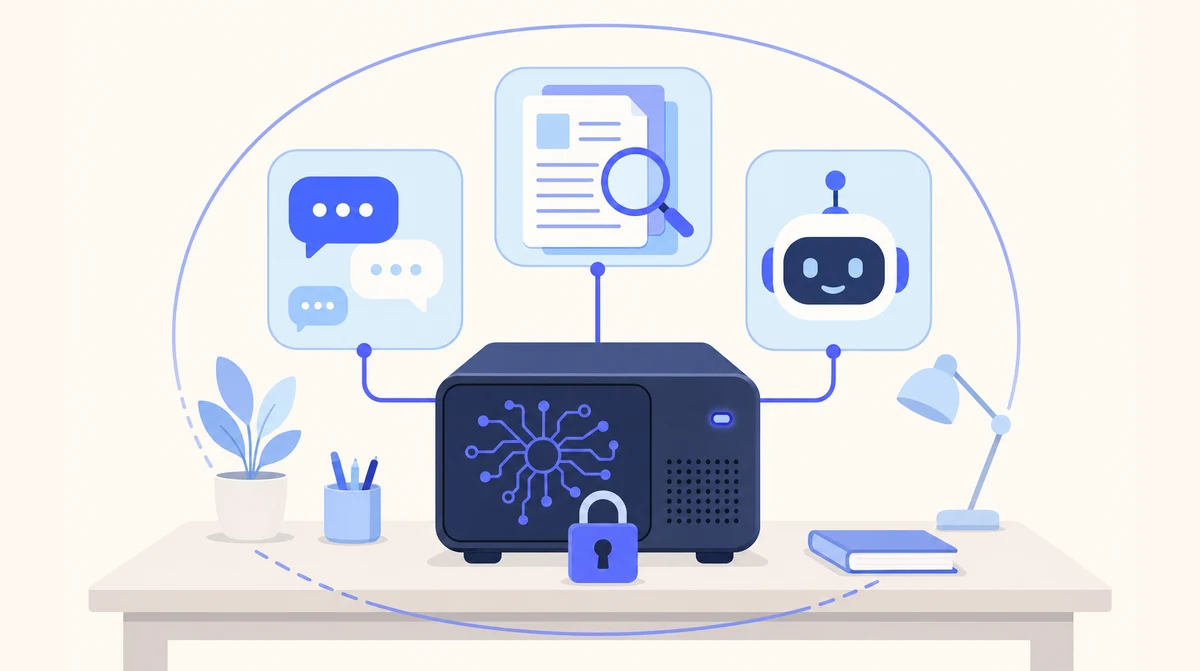
The whole system: one machine, sized for your team, running private chat, document spaces and assistants on your own network.
The Phone and the Inbox Can Stay in the Cloud
Local AI is for the confidential, document-heavy work. For answering calls, managing the inbox and chasing leads, our hosted agents are up and running in days with no hardware at all — and plenty of clients run both.
- ☁ Cloud-based AI Receptionist
- ☁ Cloud-based Email Manager
- ☁ Cloud-based Leads Outreach
- 🏢 On-premise Local AI
On-Premises Versus Cloud Versus Building Your Own
Three routes to the same goal. Only one of them leaves you without a server to look after.
| Cloud AI subscription | Build your own on premise AI server | Our on premises AI solution | |
|---|---|---|---|
| Where your data is processed | The provider’s servers | Your building | Your building |
| Hardware | None | You research, buy and configure it | One machine, sized for you and rented, not sold |
| Installation | Sign up | Your IT person’s project | Done by us, on your network |
| Software | The provider’s app | Assembled from open-source parts | Private chat, document spaces, assistants |
| Updates and model upgrades | Automatic, on their schedule | You | Us, as part of support |
| When it breaks | Their status page | You | Restored from backup by us |
| Time to live | Days | Open-ended | Weeks, not months |
What Actually Turns Up
People picture an on-premises AI system as a server rack and a cooling problem. In practice it is one dedicated machine, specified for your team size and document volume, that sits on your network in your building. It looks like a computer because it is one.
On it run open-weight models — AI models whose weights are published so they can be run anywhere, rather than only accessed through a provider’s service. That is what makes on premises AI possible at all: the model lives on your hardware, so nothing has to be sent away to get an answer.
Around the models sits the software your team actually uses. A private chat assistant for questions, drafting and working through documents and images. Document spaces where contracts, files and reports are organised, searched, summarised and compared, with citations back to the page an answer came from. And custom assistants for the recurring jobs — the monthly report, the standard memo, the routine check — built for your workflows and running on the same machine.
Your team log in with the Microsoft 365 or Google Workspace accounts they already have, so you keep control of who has access without a new set of passwords. That sign-in is the only outside connection the machine makes.
One On Premises AI System, Three Things It Does
Every part of the system runs on the machine in your office. Here is the full list of what is in the box and what is not.
Private chat
A ChatGPT-style assistant on your own machine. Ask questions, upload documents and images, work through drafts — without any of it going to an outside service.
Document spaces
Organise contracts, files and reports into spaces. Search, summarise and compare across hundreds of documents, with citations to the page each answer came from.
Custom assistants
Automations built around your workflows — recurring reports, standard memos, routine checks — running on the same machine as everything else.
| Included | Not included |
|---|---|
| A dedicated machine, sized for your team, rented to you (not sold) and installed by us | A cloud subscription — nothing runs on our servers |
| £500 per month for the software and the hardware rental | Buying the hardware — the machine is rented, not sold |
| Private chat, document spaces and custom assistants on that machine | Clinical, legal or financial advice — it drafts, you decide |
| Single sign-on with your Microsoft 365 or Google Workspace | A replacement for your practice, case or CRM system |
| Import of your existing documents, and training for the people using it | Phone answering — see AI Receptionist |
| Software updates, model upgrades and support from the people who installed it | Inbox automation — see Email Manager |
| Backups and an agreed replacement arrangement if the machine fails | Ongoing IT support for the rest of your network |
From First Call to a Working Machine
Weeks, not months. Most clients start with one team and one clearly defined use, then widen it once that team is using it daily.
Size and specify
A short call covers who will use it, what it will be reading and which team goes first. From that we specify the machine. The price does not move: £500 a month, hardware rental included.
Install and import
We install the machine on your network, connect single sign-on with your Microsoft 365 or Google Workspace, and import your existing documents into spaces.
Train and support
We train the people who will use it, then keep the software updated and the models current. Support comes from the people who did the install.
Where Local AI Is the Wrong Answer
We would rather lose the enquiry than the trust. Three things we tell every prospect before they sign anything.
It is not the answer for the phone or the inbox
An on-premises machine is built for confidential, document-heavy work. Call answering, inbox triage and lead follow-up are better served by our hosted agents, which need no hardware and are live in days. Plenty of clients run both.
It is slower than the big cloud models
Open-weight models on a single machine are capable for summarising, drafting and answering questions about your own documents. For frontier reasoning on hard, novel problems, the largest cloud models are still ahead. That is the trade.
It is a weeks-long install, not a sign-up
A cloud agent is live in days. Local AI needs the machine specified, delivered, installed on your network and your documents imported. Weeks, not months — but not tomorrow.
Built by People Who Run Their Own
One arrangement covers it
Machine, installation, training and ongoing support from one team. No hand-off between a hardware supplier, a software vendor and an IT contractor.
Rented, not sold
The machine is specified for your team after a conversation and rented to you for £500 a month with the software. Start with one team; adding people later is configuration, not a new project.
UK data protection built in
No third-party AI processor and no restricted transfer for the AI step. UK GDPR and the Data Protection Act 2018, with the ICO as regulator, and a data processing agreement for the support access you grant us.
Honest about the trade
Local models are capable and a little slower than the biggest cloud services. We say so up front, and we will tell you if a cloud agent is the better fit.
Which Page Answers Your Question
| If your question is… | The short answer | Read more |
|---|---|---|
| Why keep AI on-premises at all? | Confidential files should not leave the building | Local AI product page |
| Can my staff have a private ChatGPT? | Yes — that is the private chat assistant | Private AI |
| Which AI model would run on it? | Open-weight local models, chosen for the job | Local LLM |
| Does this help with UK GDPR? | It removes the where-does-the-data-go question | GDPR compliant AI |
| Can we self-host without the admin? | Yes — it sits in your building, we maintain it | Self-hosted AI |
| We are a law firm | Matter files stay in the office | Local AI for solicitors |
| We need the phone answered | A hosted agent, live in days | AI Receptionist |
On-Premises AI by City and Sector
On-Premises AI: Common Questions
What is an on premises AI solution?
A system where the AI models run on hardware inside your own building instead of on a provider’s servers. Your documents, prompts and chat history stay on that machine. Ours is a dedicated computer we supply, install on your network and support.
What hardware does an on premise AI server need?
It depends on how many people use it and how large your document set is. We size and specify the machine for you after a short call — the same conversation decides how many people to start with, which is usually one team.
Does it need an internet connection?
Not for the AI. Chat and document search run on the machine, so they keep working if your line goes down. The connection is used only for signing in and, if you enable it, for linking your own Microsoft 365 or Google Workspace account.
Who installs and maintains an on premises AI system?
We do. Supply, network installation, single sign-on, document import and staff training are part of the setup. Software updates, model upgrades and support from the people who installed it are the ongoing arrangement.
How is it priced?
£500 per month for the software and the hardware rental. The machine is rented to your business, not sold, so there is no hardware to buy up front. It is still sized for your team and the documents it will read — that is what the first call is for.
What happens if the machine fails?
Your documents and spaces are backed up, and a replacement machine is restored from those backups. The backup schedule and the replacement arrangement are agreed with you before go-live as part of support.
Tell Us What the Machine Would Be Reading
One short call to size the system. £500 a month covers the software and the hardware rental. If a hosted agent would serve you better, we will say so.
Prefer email? sghaith@businessaiagents.co.uk